
AI that answers, and knows when to ask
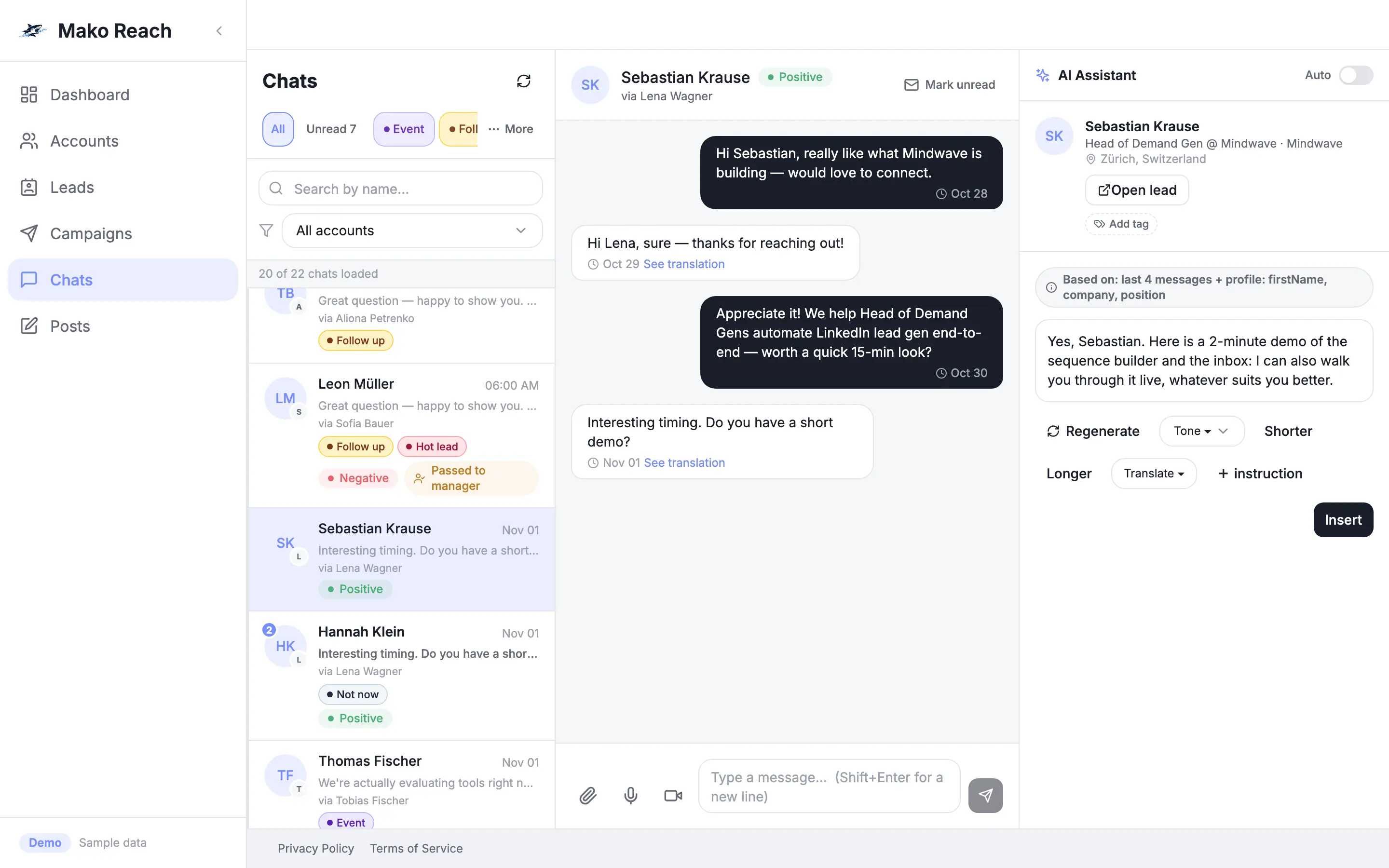
The reply agent drafts or sends answers in your tone and in the language of the lead. If it lacks a fact, it asks you on Telegram or Slack and remembers your answer.
See the AI reply agentMako Reach finds your leads, runs the sequence and replies in your tone and your lead's language. When the agent is not sure, it asks you. €35 per LinkedIn account. Teammates are free.
Cloud-based, no browser extension.
A shark fin cuts through dark water. Ripples spread out and light up points that stand for leads. Small green pulses return to the fin as replies.
LinkedIn step types in the sequence builder
default daily invites and messages per account, enforced
browser extensions to install
app, database and background workers run in the EU
REST API and webhooks included
The reply agent drafts or sends answers in your tone and in the language of the lead. If it lacks a fact, it asks you on Telegram or Slack and remembers your answer.
See the AI reply agentOpen the real product on sample data. Add a step, search for leads, let the agent draft a reply. Nothing you do is sent anywhere.
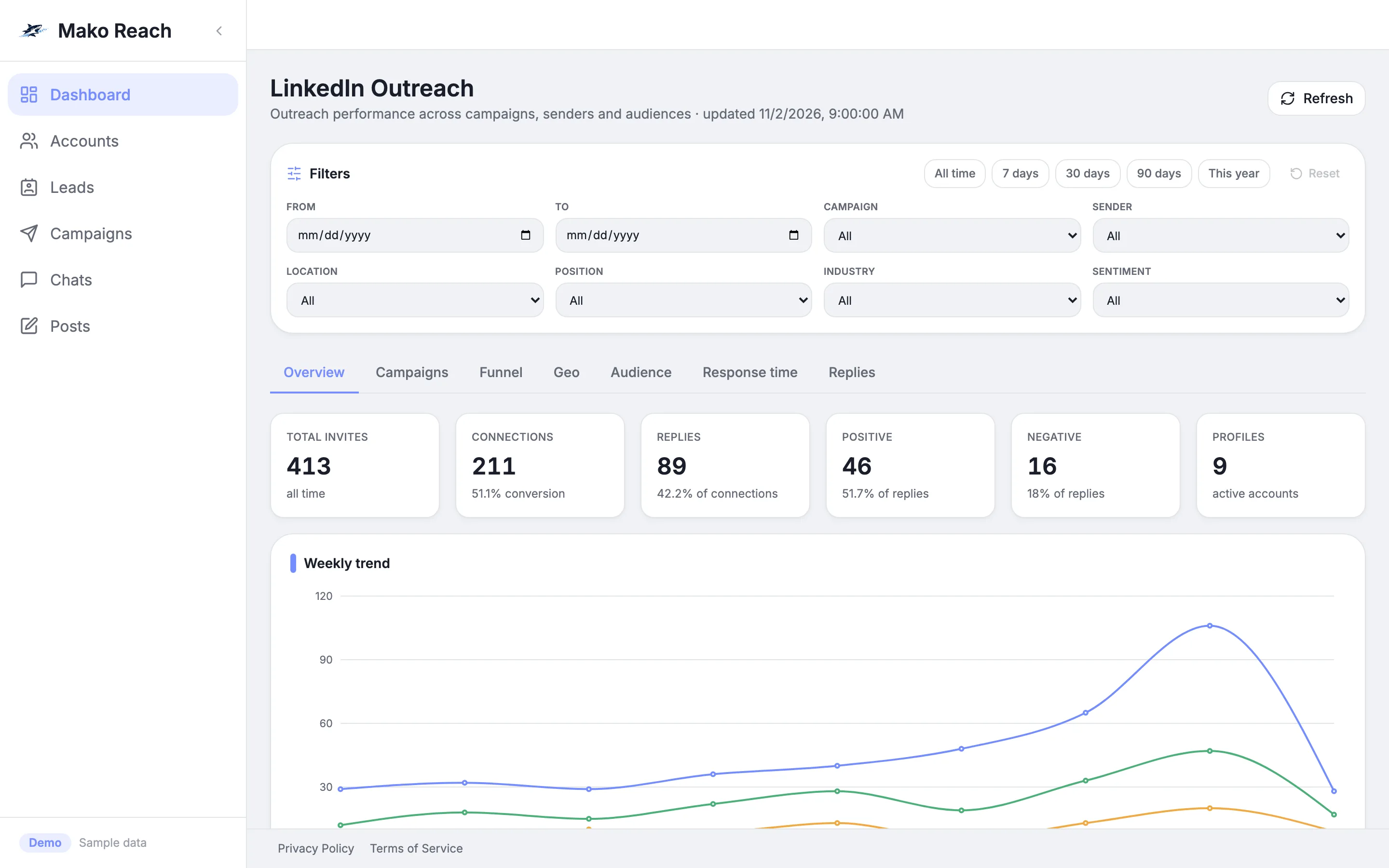
Open the live demoDescribe your ideal customer, build the sequence, read every reply in one inbox and schedule your LinkedIn posts. No tool juggling.
Explore the featuresSwitch it on per chat or for the whole workspace. It writes in your tone, replies in the language the lead used and stays inside the hours you set.
An example of one handled reply. Pauses on hover.
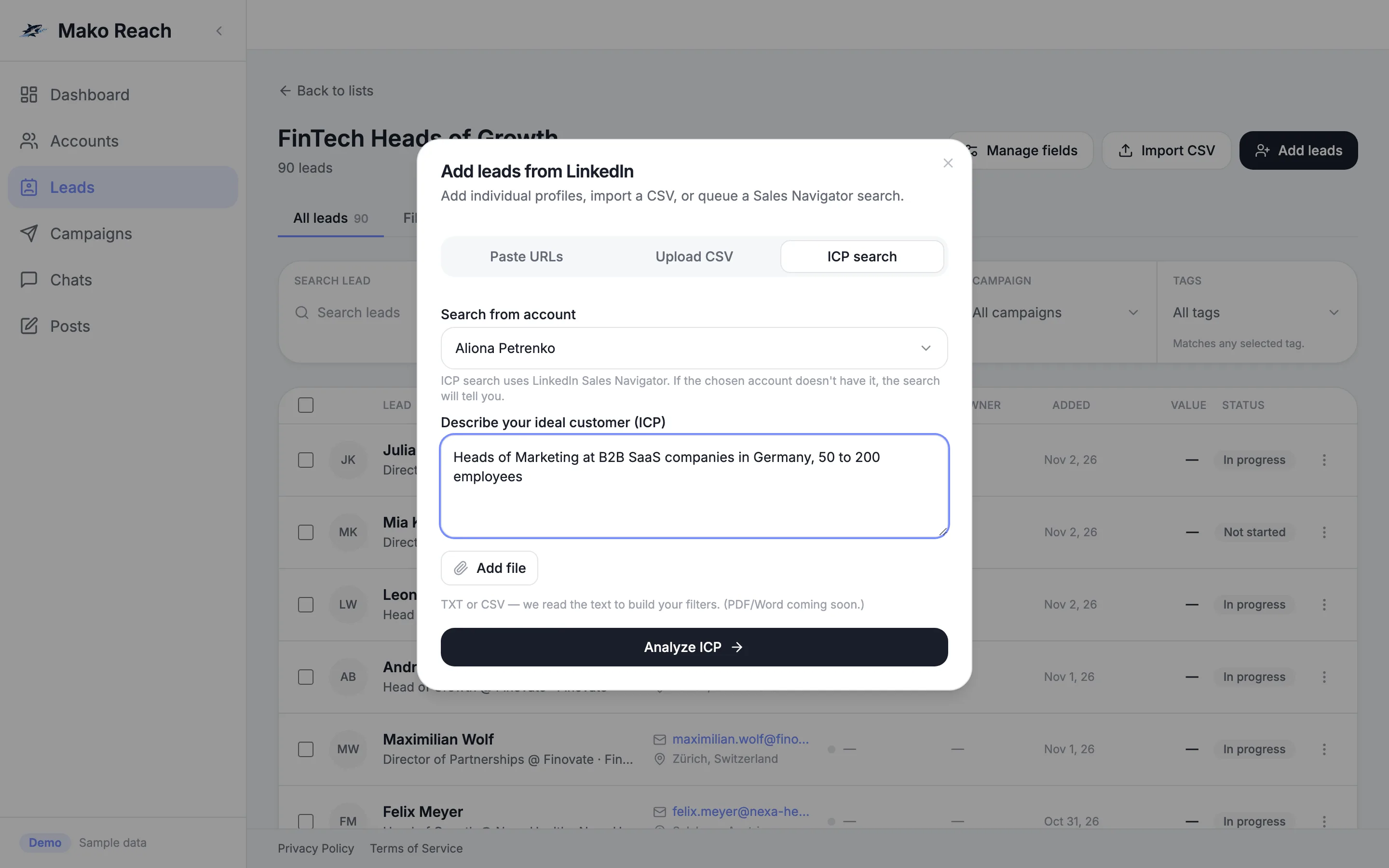
Describe your ideal customer in plain words and get a Sales Navigator search. Or paste a link or upload a CSV.
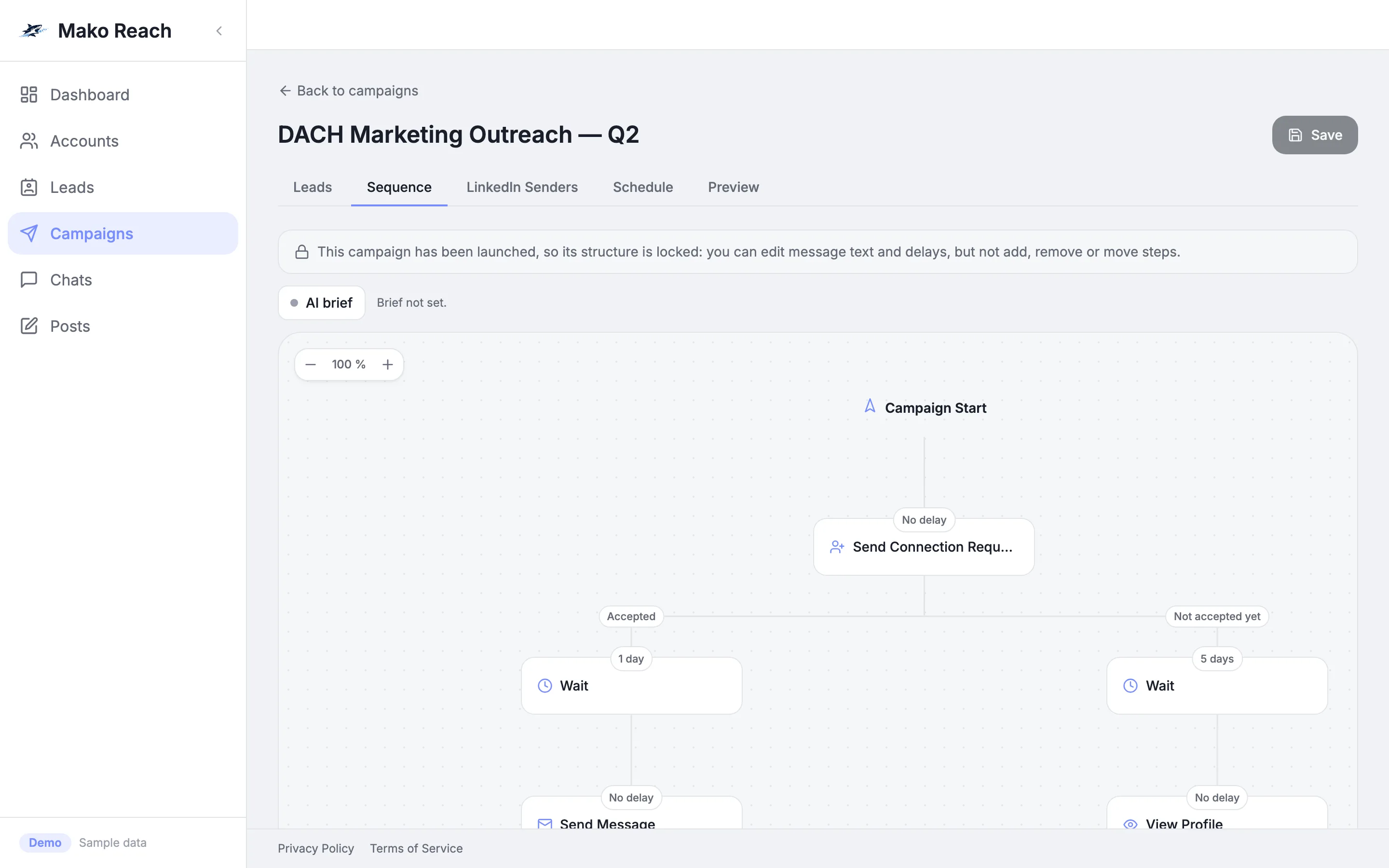
Build a branching sequence across all your senders, with daily limits that are enforced.
One inbox for every account. Tags, folders and sentiment. The AI agent handles the routine answers.
Draft, schedule and publish LinkedIn posts, with stats next to your outreach.
ICP search needs your own Sales Navigator and AI key.
Every connected account has its own daily caps for invites, messages, views and follows. The engine does not exceed them. Defaults start at 28 invites and 40 messages a day, and you can lower them.
All LinkedIn automation carries a risk under LinkedIn's terms. Caps reduce that risk. They cannot remove it.
Invites
Messages
Defaults are 28 invites and 40 messages per account per day. The engine stops at the cap. Sample numbers, not live data.
€35 per connected LinkedIn account per month. Unlimited teammates at no cost. Every feature included.
See pricing5 updates shipped in the last 90 days
The AI reply agent can now ask your team in a Slack channel when it lacks a fact, and post a note there when it passes a chat to a person. It works like the Telegram connection, and you can use both.
OpenRouter is now a third AI provider next to Claude and OpenAI. One OpenRouter key gives your workspace access to models from many AI companies.
When the agent steps back from a conversation, the chat is marked unread and your team gets a Telegram alert with the reason and a link.
A look at what is in testing, in development and planned. No dates are promised.
See the roadmapAll LinkedIn automation carries a risk under LinkedIn's terms. Mako Reach runs in the cloud, uses a country proxy for each account and enforces daily caps (defaults: 28 invites and 40 messages). Caps reduce that risk. They cannot remove it, so keep them modest and your messages relevant.
Your own LinkedIn account. For AI lead search you also need your own Sales Navigator subscription. The AI reply agent and AI lead search run on your own AI key (OpenAI or Anthropic), which a workspace admin adds in the settings.
The app, the database and the background workers run in the EU. A workspace admin can export or erase the workspace's data at any time.
Only if you allow it. You choose auto or manual for each chat. In auto mode a confidence check applies, and the agent asks you when it is unsure.
€35 per connected LinkedIn account per month. Teammates are free.
A workspace admin can cancel any time in Settings, under Billing. You keep full access until the end of the period you have already paid for, then the workspace is locked. Plans are set up with us directly, not through a card checkout, so nothing is ever charged automatically. The data stays in the workspace: an admin can download all of it, or erase the workspace, from Settings whenever they like.
When a workspace is locked, campaigns are put on hold and sending and the inbox are blocked. The workspace's LinkedIn accounts can then be disconnected from Mako Reach after a delay. Your LinkedIn profiles themselves are untouched. Erasing the workspace also disconnects them.
Yes. The live demo runs the real product on sample data. Nothing is sent and nothing is saved on our servers.
Use Request access. We reply by email and set up your access.
Open the live demo in one click. No account needed.
Cancel any time in Settings. Export or erase your workspace data whenever you want.